Day 2 : Basics linux command

These commands are essential for navigating, creating, manipulating, and managing files, directories, and system settings in Linux. They form the foundation of everyday tasks and operations in a Linux environment.
📂 mv - Move or rename files in Linux
📂 cp - Similar usage as mv but for copying files in Linux
📂 rm - Delete files or directories
📄 cat - Display file contents on the terminal
📄 clear - Clear the terminal display
🖥️ uname - Linux command to get basic information about the OS
👤 whoami - Get the active username
🔒 chmod - Command to change file permissions
🔌 ifconfig - Display network interfaces and IP addresses
🔒 passwd - Create or update passwords for existing users
📁 ls - The most frequently used command in Linux to list directories

📂 cd - Linux command to navigate through directories

📂 mkdir - Command used to create directories in Linux
📂 touch - Create blank/empty files

🔤 echo - Print any text that follows the command

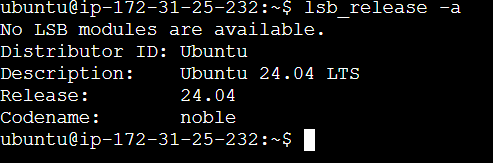
lsb_release -a : useful for troubleshooting or when you need to know the exact version of your OS.
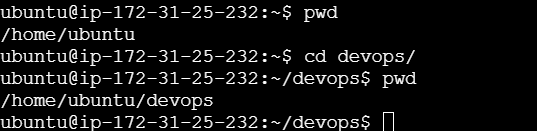
Checking your present working directory:
The command pwd (print working directory) provides you with the absolute path of your current location within the file system. It's like a GPS system that tells you where you are.
List All Files and Directories (Including Hidden)
To list all files and directories, including hidden ones, use the ls command with the -a option:

Here, . represents the current directory, .. represents the parent directory, and other entries are files and directories.
To create a nested directory structure A/B/C/D/E, use the mkdir command with the -p option to create parent directories if they don't exist:
Create Nested Directory Structure

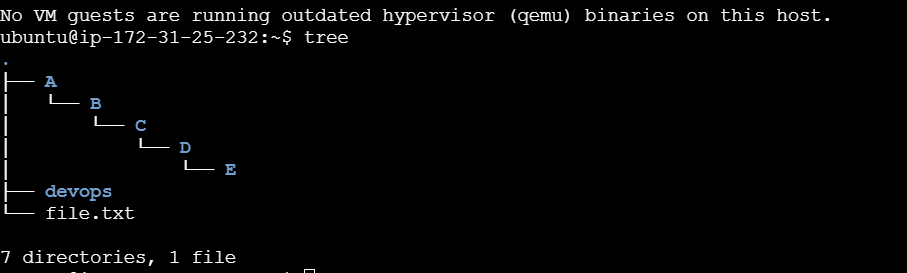
This command creates a directory structure where:
AcontainsBBcontainsCCcontainsDDcontainsE
After executing this command, you'll have a nested directory structure created from your current working directory.
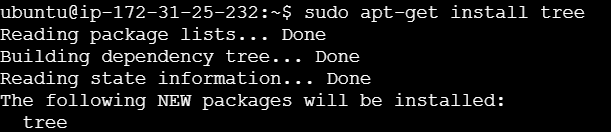
You can check it using tree, but for that first you need to install package
Conclusion:
Mastering the Linux command line opens up a world of possibilities in managing your file system efficiently. With few basic commands we also have covered three essential commands: pwd to check your present working directory, ls -a to list all files and directories (including hidden files), and mkdir -p to create nested directories. With these tools at your disposal, you'll be well-equipped to navigate and organize your files like a pro.
So, embrace the power of the command line and embark on your Linux journey with confidence!
This is Day 2 of DevOps journey today and join our 90-day challenge. Let's learn and grow together! 🌟
Feel free to reach out with any questions or thoughts in the comments below. Happy DevOps-ing! 🚀


